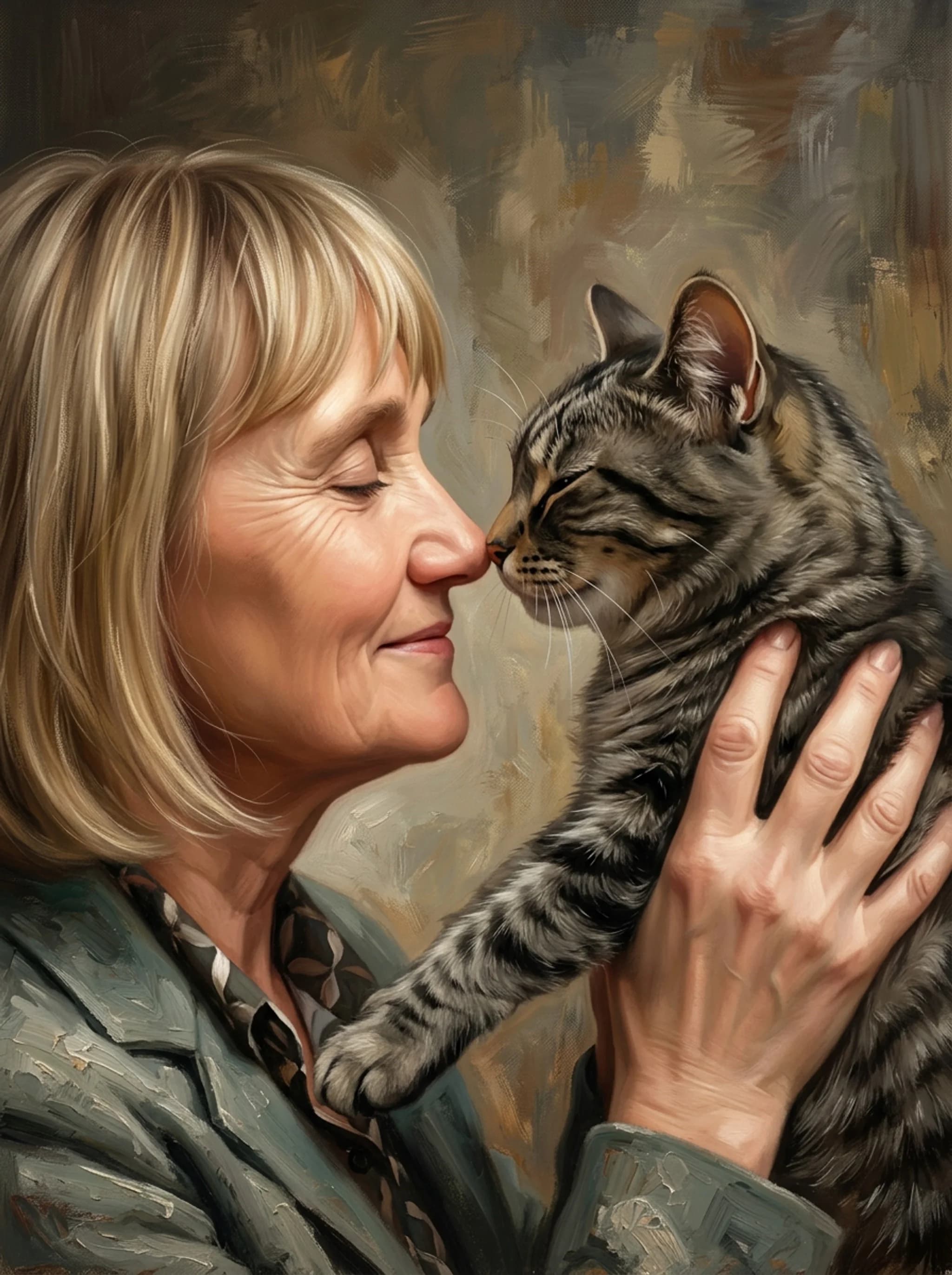
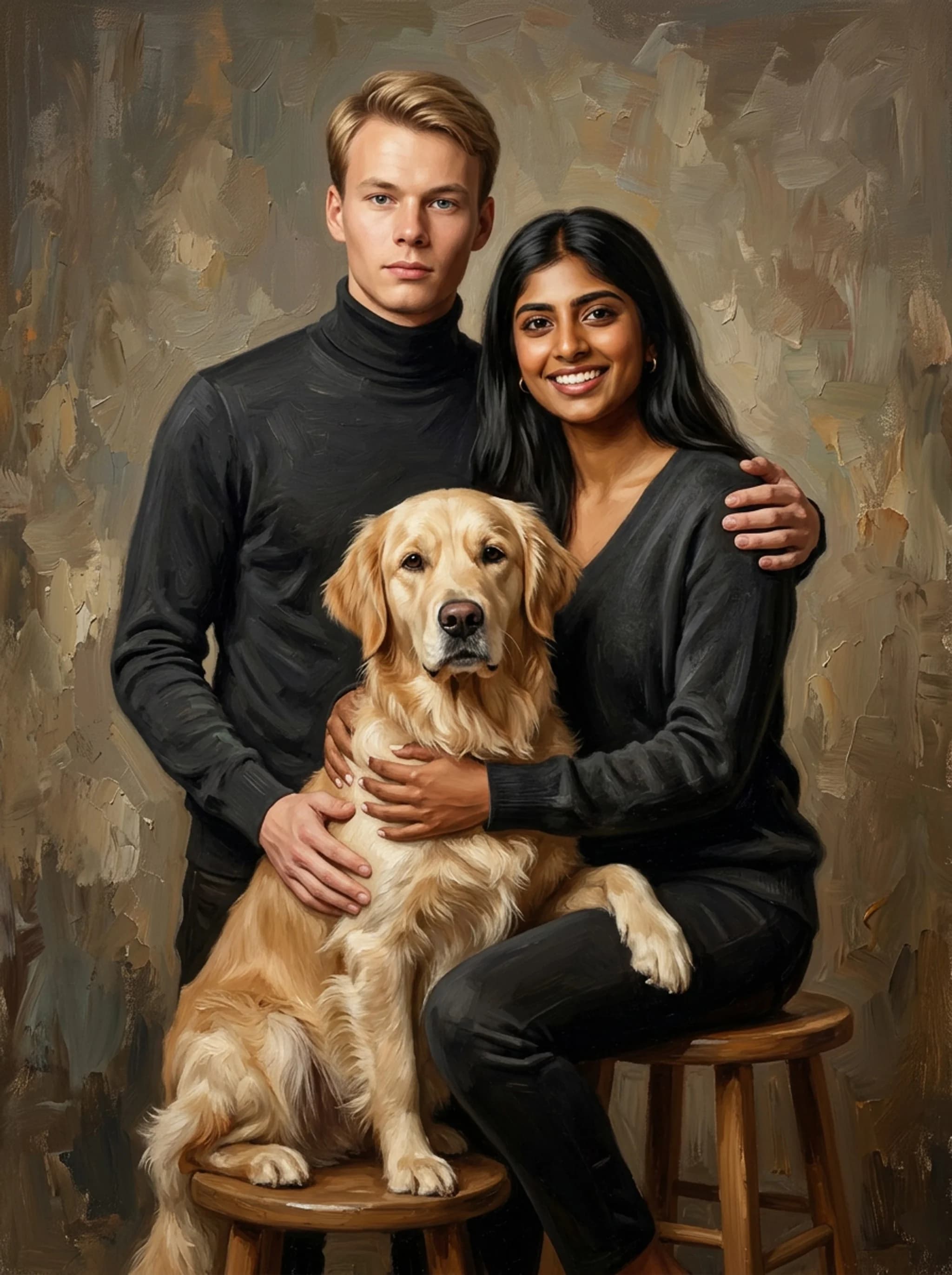
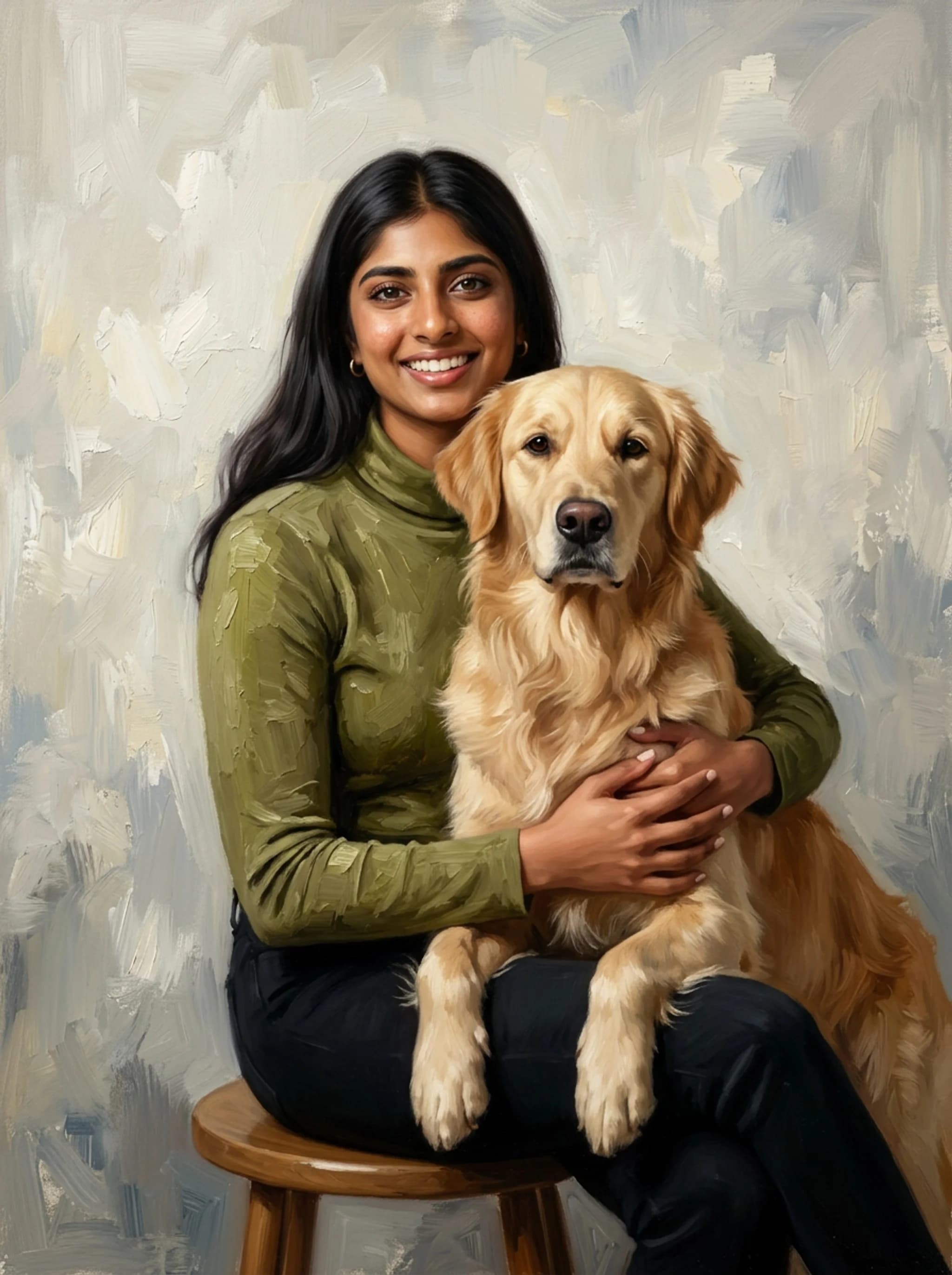
You are staring at a camera roll full of dog selfies, wishing you had one clean, elegant photo where both you and your pup look great in the exact same frame. Turning a picture of a dog and owner into a painting solves that headache by combining separate images, fixing awkward backgrounds, and elevating everyday snapshots into fine art. At Nobly (getnobly.com), we focus on turning those messy camera roll moments into custom portraits of people and their pets that look like genuine oil paintings on gallery canvas. This guide breaks down artist workflows, multi-photo stitching techniques, real market pricing, and AI generation setups so you get a canvas worth hanging.
Data represents base pricing, surcharge structures, and fulfillment metrics across leading custom art studios based on current web sources, checked at publication.
How do custom portrait services turn separate pictures of a dog and owner into one cohesive painting?
You rarely have one perfect photo where both you and your dog look incredible in ideal lighting. Custom portrait services convert separate photos of a dog and owner into a unified painting through multi-photo stitching, matching lighting directions, scaling proportions accurately, and blending background tones seamlessly across subjects. When you submit separate photos, a digital artist or painter doesn't just cut and paste figures onto a canvas. They re-evaluate key anatomical proportions first. A golden retriever's head relative to a human shoulder changes drastically based on camera focal length (for instance, a 24mm smartphone lens distorts perspective far more than an 85mm portrait lens). Artists normalize these spatial scale differences before laying down initial sketch lines. Lighting angle mismatch is the next major obstacle: if the owner photo has hard daylight coming from the right, but the dog photo was shot indoors under soft overhead LEDs, the artist manually builds consistent light source layers and contact shadows to lock both subjects into the same visual plane. After setting the focal layout, artists apply unified color temperature palettes. Instead of keeping raw photographic colors, they introduce harmonized underpaintings: warm ochres or soft cool grays that run across both the dog's fur and the human's skin tones. This unifies disparate source photos so the final piece feels painted from a single live session rather than assembled from separate files. If you are shopping for options, exploring a dedicated resource on Personalized Pet Portrait Paintings: The Ultimate Buying Gui can help you judge whether a studio specializes in multi-photo stitching or requires a single hero shot.
Practical rule: Rule: Never combine a hard outdoor direct-sun photo with a flat indoor fluorescent photo unless you pay for human artist re-lighting.
Source Photo Requirements for Dual-Subject Stitching
To get high fidelity when combining separate pictures, clarity matters more than background aesthetics. Focus on eye catchlights: clear white reflections in both the human and dog eyes prove that key facial structures are in sharp focus. Send original uncompressed JPEG or HEIC files straight from your camera roll rather than screenshots from messaging apps, which compress image data and strip away subtle fur textures and facial lines. Make sure the dog's ears, paws, and muzzle aren't cropped out of the frame edge unless you want those parts tucked behind the owner in the final painting layout. For the human subject, clear jawlines and visible neck transitions help artists render convincing shoulder angles and natural body posture against the dog.
Fixing Lighting Discrepancies and Perspective Mismatches
Perspective mismatches happen when one photo is taken from eye level and another is shot looking down from above. Professional portrait artists rectify this by establishing a single virtual horizon line across the digital canvas layout before applying digital paint strokes. They rebuild missing shadow values on the shaded side of both subjects to match the chosen directional light. If you provide a low-light indoor photo of your dog paired with a bright outdoor portrait of yourself, tell the artist which environment you want the final painting to mimic. A competent painter will adjust skin highlights and fur contrast levels to ensure both subjects share identical color saturation and tonal range.
Composition and Pose Recommendations for Dog and Human Portraits
The strongest dual-subject compositions place the dog's head slightly lower than or overlapping the owner's torso, creating a natural visual triangle that draws the viewer's eye between both faces. Classic poses include the 'side-by-side shoulder rest' for larger breeds like German Shepherds and Labradors, or the 'lap embrace' for smaller dogs like French Bulldogs or Pugs. Avoid poses where the owner holds the dog directly in front of their chest, as this obscures body lines and makes both subjects look like a single bulky shape on canvas. Aim for a distinct spatial gap or clear physical touchpoint, like an arm draped over the dog's neck, which builds genuine emotional connection in painted form.
What are the real costs and hidden fees when turning photos of dogs and owners into art?
Base pricing for custom dual-subject art ranges from $49 for digital prints to $350+ for 100% hand-painted oil canvases, but hidden multi-subject add-on fees usually add $15 to $50 per extra figure. Factoring in extra subject costs, proof revisions, and canvas framing reveals the true total cost upfront. Many consumer portrait brands advertise aggressive low entry prices like '$39 custom pet art', but those quotes almost universally cover a single pet on a plain background. The moment you add a human owner, the pricing structure changes. Studios charge extra because human faces demand far higher precision and revision time than pet fur. Adding a second subject adds manual detail work for artists who must maintain two distinct likenesses simultaneously. | Service / Provider | Base Price (1 Human + 1 Dog) | Hidden Multi-Subject Fee | Unlimited Proofs? | Avg. Turnaround | Media Type |
---
---
---
---
---
---
Paint Your Life
$249 - $375
$30 - $50 per extra subject
Yes (Unlimited)
14-21 Days
100% Hand-Painted Oil / Acrylic
Crown & Paw
$70 - $110
$15 - $25 per extra subject
Limited (1-2 proofs)
7-10 Days
Digital Composite Print on Canvas
West & Willow
$80 - $120
$20 - $30 per extra subject
No (Proof on request)
7-12 Days
Digital Vector Print on Framed Paper
Independent Etsy Artists
$50 - $200
$15 - $40 per extra subject
Varies by seller
10-25 Days
Digital Artwork or Hand-Painted Canvas
DIY (Midjourney + Photoshop)
$10 - $30 (Tool subs)
$0 (Sweat equity)
Self-managed
1-3 Hours
Digital File (Self-Print Required)
| Nobly Studio | $89 - $149 | $0 (Included in multi-subject tier) | Yes (Unlimited) | 5-8 Days | Digital Oil Painting on Premium Canvas | Watch out for additional charges around proofing revisions and canvas stretching. Budget options often charge $10 to $20 per revision round after your initial draft proof. Stretched canvas upgrades can add another $40 to $100 over unframed poster prints. Knowing these variables upfront ensures you don't hit unexpected checkout fees.
Practical rule: Rule: Always confirm whether a studio's base quote covers both subjects or if human figures incur an extra-subject surcharge.
100% Hand-Painted Oil vs. Digital Print on Canvas
Understanding the technical medium prevents post-purchase regret. A 100% hand-painted oil portrait from studios like Paint Your Life uses physical oil paints layered over stretched cotton canvas, creating physical impasto ridges and texture you can feel. These take three to four weeks because physical paint layers must dry before shipping. Conversely, services like West & Willow or Crown & Paw produce digital graphics created on graphics tablets or using algorithm filters, printed via inkjet onto canvas. Digital paintings offer sharper edge detail and faster delivery, but they lack physical paint brush depth unless finished with an acrylic gel brushstroke overlay.
Proof Revision Limits and Extra-Subject Surcharges
Human face fidelity requires tweaking. A slight misplacement of a cheekbone highlight or eye outline can turn a recognizable owner face into a complete stranger. Choose providers offering clear digital proofing workflows with unlimited revisions prior to printing. Be vigilant when reading pricing tables. Look for total cart value with two subjects selected rather than homepage promotional banners. Independent Etsy creators often require you to purchase a base listing plus a secondary 'add-a-person' listing before starting work.
Evaluating Turnaround Times and Frame Upgrades
Turnaround times vary dramatically based on location and medium. Hand-painted oils sourced internationally require 14 to 28 days for artist creation, dry time, and transit. US-based digital print studios typically ship within 5 to 9 business days from proof approval. When evaluating frames, factory-finished solid pine wood frames with pre-installed hanging wire offer better long-term durability than cheap MDF composite frames. If ordering for an anniversary or holiday gift, factor in a 5-day safety buffer for potential revision rounds.
Your bond, painted in oil.
Upload one photo and see your portrait in 60 seconds. Free preview, no account needed.
Human Likeness vs. Pet Fur Texture: Overcoming Dual-Subject Rendering Challenges
Capturing an accurate dual-subject portrait requires balancing precise human facial anatomy with soft, dimensional pet fur texture. While digital filters often blur human features into plastic skin or turn dog fur into muddy smudges, skilled artists paint human likeness using realistic facial bone structure while layering distinct strokes for fur depth. > A great dual-subject portrait isn't measured by smooth filters, but by whether human eyes hold authentic warmth while pet fur maintains tactile dimension. The core rendering challenge in a joint portrait comes down to skin gradients versus hair edge detail. Human faces rely on broad continuous blending across cheeks, foreheads, and jawlines to look natural. If an artist or algorithm applies heavy brush textures across a human face, it ages the person or creates an unsettling 'dirty' skin effect. Conversely, pet fur requires short, directional brush strokes with crisp edge layering to build weight, fluff, and sheen. When standard filter apps apply a blanket 'oil paint' filter across both subjects, they wreck both elements: the human face turns into plastic orange skin, and the dog's coat becomes flat color blocks without individual hair texture. Professional artists work on separate digital layers or use targeted paint strokes. They keep skin blending soft and precise while building up crisp hair layers on the dog's coat, chest ruffle, and snout. For a breakdown on technical specs for canvas artwork, consult The Founder's Technical Guide to Buying a Personalized Pet P.
Practical rule: Rule: Reject artwork proofs where automated filters smooth over pet fur textures or blur human facial bone definitions.
Why Standard AI Mobile Apps Fail on Human-Pet Pairs
Mobile filter apps like Prisma or Photoleap process images globally using style-transfer neural networks. They apply equal artistic distortion to every pixel across the image without recognizing semantic anatomical boundaries. This causes skin tones to bleed into dog fur, or turns complex eye reflections into bizarre abstract shapes. These apps fail to recognize human likeness nuance. A 2% shift in human lip angle changes recognition completely, whereas a 2% shift in dog fur alignment remains unnoticeable. Generalized mobile filters lack the precision needed to preserve human identity while stylizing pet features.
Facial Fidelity: Avoiding the 'Uncanny Valley' in Human Painting
The uncanny valley happens when a painted human face looks almost real, but minor structural flaws make it look eerie. This is common when artists over-trace reference photos without understanding underlying skull geometry. Eye placement, iris size, and smile lines must be rendered with sub-millimeter care. To avoid this, inspect studio portfolio samples specifically for human faces rather than pet fur. Look for realistic skin warmth, correct shadow depth beneath the jawline, and natural lip tones that don't look overly painted or unnatural.
Edge Blending and Scale Proportions
Where human skin touches pet fur, like a hand stroking a dog's back or a dog leaning against an owner's cheek, demands clean edge treatment. Hard, sharp boundaries make subjects look pasted together, while overly soft edges cause the dog's fur to dissolve into human clothing. Experienced painters construct soft feathering techniques along contact points. Small fur locks overlap human sleeves or skin naturally, casting subtle micro-shadows that anchor both subjects into a unified visual depth.
How can you use AI tools like Midjourney and Stable Diffusion to generate custom human and dog art?
You can generate custom human and dog artwork using advanced generative AI by pairing detailed prompt engineering with structural control tools like IP-Adapter and ControlNet. This approach anchors specific facial features and pet fur patterns to reference photos while rendering cohesive oil, watercolor, or classic artistic styles. Generative AI platforms like Midjourney v6 and DALL-E 3 can produce stunning dog and owner artwork, but using plain text prompts alone like 'oil painting of me and my golden retriever' yields random faces and generic dogs that don't look like you or your pet. To achieve actual likeness, you must feed reference images directly into the generative pipeline. In Midjourney, use Character Reference (`--cref [URL]`) for the human owner combined with Image Prompts for the dog, setting weighting parameters (`--cw 80`) to retain face structure while letting the model paint artistic textures. For complete control, Stable Diffusion equipped with ControlNet (Canny edge or OpenPose depth maps) plus IP-Adapter allows you to lock in exact facial features and dog body shapes from two input photos while directing the model to generate impasto oil textures. If you prefer software tweaks without generative retraining, Adobe Photoshop Generative Fill lets you combine separate photos manually, select background regions, and use prompts like 'classic textured canvas oil painting background' to harmonize subjects seamlessly without altering physical facial shapes.
Practical rule: Rule: Always use depth maps or character reference parameters when generating AI artwork to keep human facial recognition intact.
Midjourney v6 and DALL-E 3 Prompt Engineering Workflows
When prompting Midjourney or DALL-E 3 for joint portraits, structure your prompt logically: start with subject relationship, describe artistic medium, specify lighting, and end with style parameters. A proven prompt template: `An oil painting on canvas of [Human Description] sitting beside [Dog Breed Description], soft warm studio lighting, visible impasto brushstrokes, classical fine art style, rich color palette --v 6.0`. Avoid vague descriptors like 'hyperrealistic' or 'photorealistic' as they force AI models toward synthetic stock photo lighting. Use classical art descriptors like 'chiaroscuro lighting', 'textured oil canvas', or 'loose brushwork' to encourage rich artistic finishes.
Using ControlNet and IP-Adapters for Precise Face and Fur Retention
Open-source AI tools like Stable Diffusion WebUI or ComfyUI give you fine-grained control over subject output. By loading an OpenPose model, you extract the human posture and head angle from your source image, while an IP-Adapter node injects the exact facial feature embeddings into the generation loop. For the dog, apply a Canny edge detector ControlNet set to low weight (0.35 to 0.5). This preserves ears, snout shape, and coat boundaries without locking the AI into flat photographic pixels, letting it apply rich brushstrokes over authentic dog shapes.
Clean Up and High-Res Upscaling in Adobe Photoshop
AI generations rarely output print-ready resolutions for large stretched canvases. Generations typically top out at 1024x1024 or 1456x816 pixels, which pixelate when printed larger than 8x10 inches. You need to upscale raw AI renders to 300 DPI at full print size (e.g., 6000x4500 pixels for a 16x20 canvas). Use dedicated AI upscalers like Topaz Gigapixel AI or Photoshop's Neural Filters (Super Zoom) to boost resolution without blurring fine brush stroke details. Finish by manually touching up eye catchlights and sharp edges using brush tools.
Selecting the Right Artistic Style and Medium for Your Shared Portrait
Selecting the ideal medium for a human and dog portrait depends on your interior design style, desired level of detail, and long-term durability goals. Classic oil paint on stretched canvas offers deep textural depth for traditional spaces, whereas clean digital watercolor prints provide soft, modern aesthetics ideal for contemporary galleries. Matching artistic medium to your room aesthetic ensures your custom art elevates your home decor rather than clashing with it. Classic oil and impressionist styles feature heavy dark backgrounds, dramatic side lighting, and rich glazes that fit mahogany paneling, traditional living rooms, or formal entryways. Watercolor and minimalist line drawings work best in bright, modern spaces with light oak furniture and minimalist decor. If you want an emotional heirloom, consider custom options framed as pet memorial gifts: how to choose a keepsake that actually h to celebrate a lifelong bond. When choosing print media, cotton-poly blend stretched canvas coated with UV-resistant varnish offers the best balance of canvas texture retention and color longevity without requiring glass frames. Take time to review studio proofing options before ordering. At Nobly, we simplify this process by offering hand-crafted digital oil portrait styles with clear multi-subject options and revisions, making sure you receive art you are excited to hang. Focus on clear source photos, verify total subject costs upfront, and choose a medium that fits your home style.
Classic Oil and Impressionist Styles for Dual Subjects
Classic oil styles prioritize depth, shadow contrast, and brush texture. They excel at softening busy photo backgrounds into moody dark tones (like burnt umber or deep forest green) that make both owner skin and dog fur pop off the canvas. Impressionist approaches use looser, visible color dabs to capture light movement. This style is ideal if your source photos suffer from mild blur, as artistic brushwork hides photo noise while emphasizing color harmony across both figures.
Modern Watercolor, Line Art, and Pop Art Alternatives
Modern watercolor paintings rely on transparent color washes and fluid pigment edges on heavy paper textures. They capture playful dog energy well, but require crisp line control around human eyes and lips so facial likeness doesn't wash away. Minimalist line art and pop art styles simplify subjects into solid color blocks or continuous ink contours. While clean and budget-friendly, line drawings capture facial silhouettes rather than exact realism, making them better suited for modern illustrative prints.
Final Print Media: Stretched Canvas vs. Archival Paper
Stretched canvas wraps print files around solid internal wooden stretcher bars (typically 0.75-inch or 1.5-inch thickness), offering a frameless gallery look that is ready to hang straight out of the box. Canvas texture naturally hides minor digital scaling artifacts. Archival matte paper prints require glass or acrylic framing to prevent dust damage and warping over time. Paper prints provide crisper fine-line detail than canvas, making them ideal for small modern watercolor prints or detailed pencil drawings.
FAQ
Can you turn separate photos of a dog and owner into one painting?
Yes, artists and digital studios can stitch separate photos of a dog and owner into a single painting. They balance perspective, scale, lighting direction, and shadows to combine separate images into a cohesive portrait.
How much does it cost to turn a picture of a dog and owner into a painting?
Prices range from $49 for digital prints on canvas up to $350 or more for 100% hand-painted oil canvases. Multi-subject portraits usually incur an extra charge of $15 to $50 per additional subject.
Can I convert a dog photo into a painting using free online tools?
Yes, free apps like Prisma or web tools like VanceAI convert photos into stylized paintings using neural filters. However, free tools process the whole image uniformly and often distort human facial features.
What is the best app or AI to turn photos of dogs and owners into artwork?
Midjourney v6 combined with Character Reference (`--cref`) or Stable Diffusion with ControlNet are the top AI tools for joint portraits. For a polished, hassle-free final product, professional studios yield better facial accuracy than automated apps.
What picture ideas work best for a dog and owner portrait canvas?
Side-by-side shoulder poses, lap embraces, or eye-level sitting shots work best. Ensure consistent lighting across both subjects, clear eye visibility, and uncropped head shapes for the best painting results.
Your bond, painted in oil.
Upload one photo and see your portrait in 60 seconds. Free preview, no account needed.